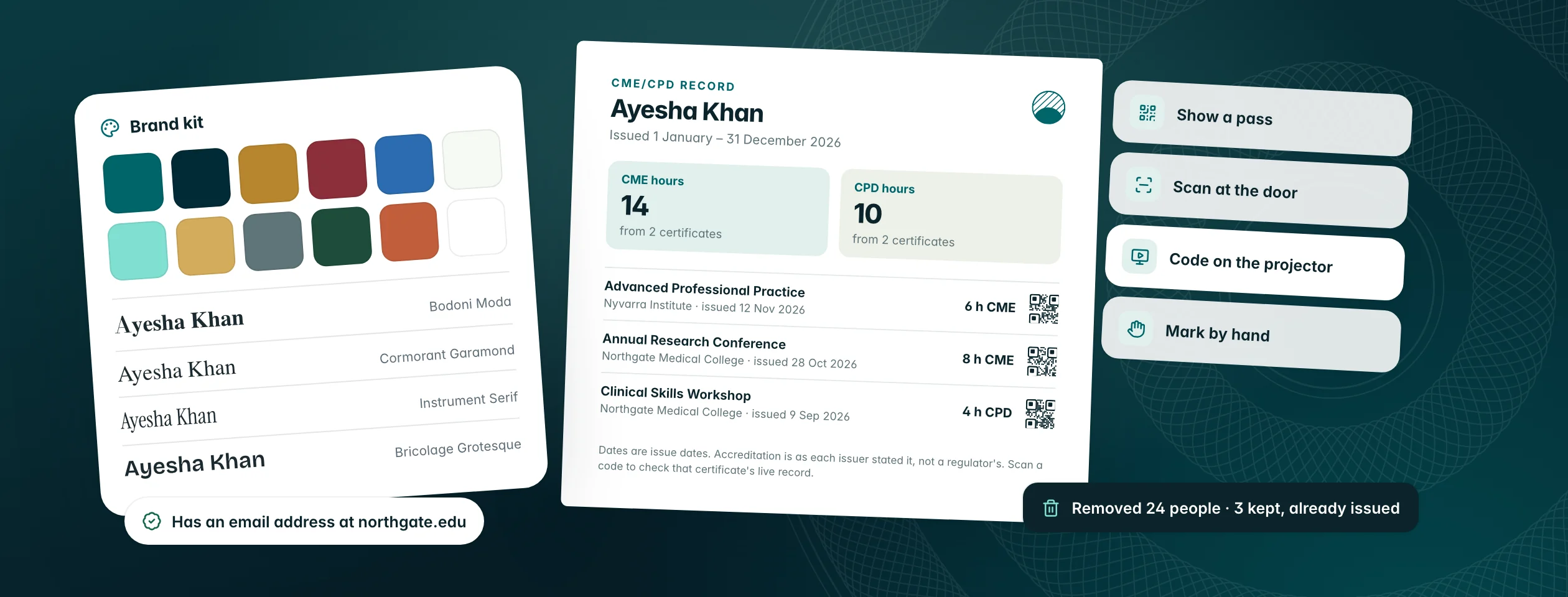
A calmer, faster workspace for issuers
Every screen you issue certificates from has been rebuilt on one system: one clear header per set, tables that work the same everywhere, a real Home, and ⌘K search that finds people, sets and certificates in about 0.4 seconds.
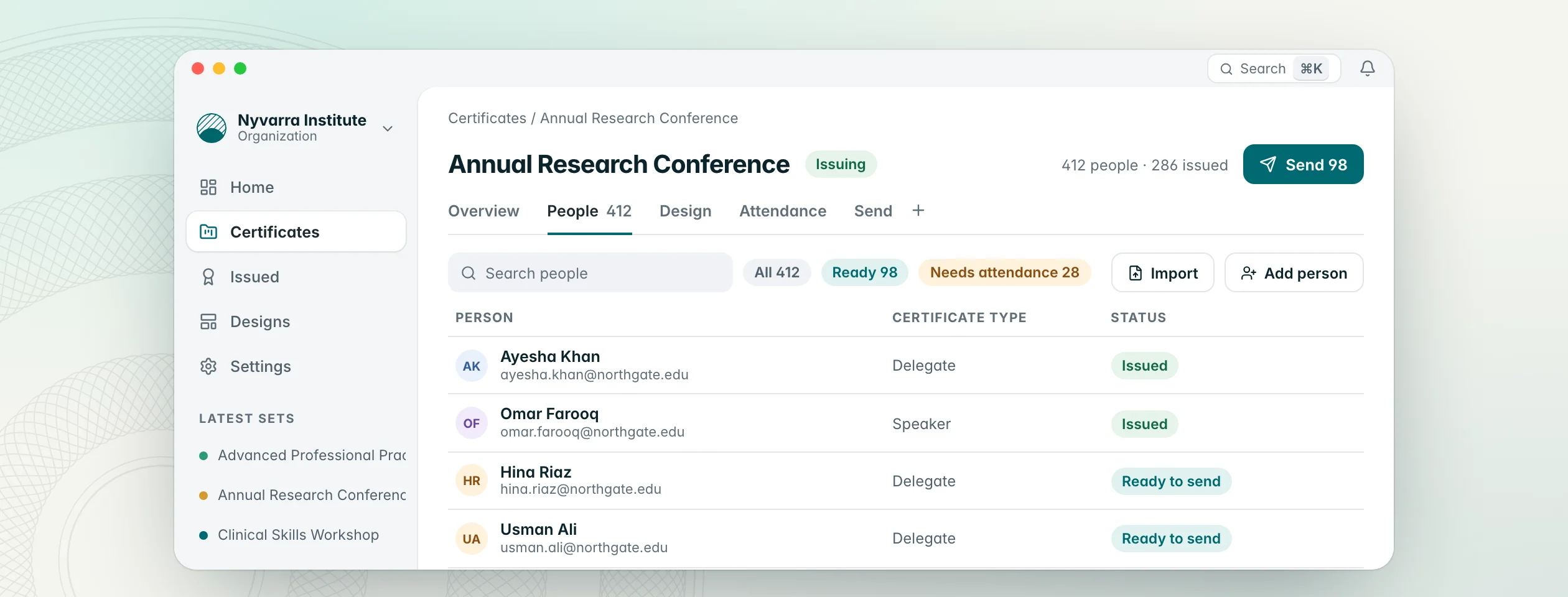
Issuing certificates is a series of small jobs: add people, check their details, pick a design, send. Over the last few weeks we rebuilt every screen those jobs happen on, so they look and behave the same way, and so the thing you need next is always the thing in front of you.
One home for each set
Every set now has one header: its name, its status, how many people it has and how many are issued, and one button for the next step. Below it, one row of tabs: Overview, People, Design and Send. Attendance, Feedback and CME/CPD hours join them when you add them with the + at the end of the row.
- Add person and Import open over the page, so you never lose your place. Importing is four clear steps, from choosing the file to checking every row.
- Certificate types live in one table, with each type's design, rules and hours in a side panel.
- Issued certificates use the same table as People, with bulk withdraw and reissue in the selection bar.
- Past sends, email delivery, corrections and the CSV sit together in one ⋯ menu.
Search from anywhere with ⌘K
Press ⌘K (Ctrl+K on Windows) on any screen.
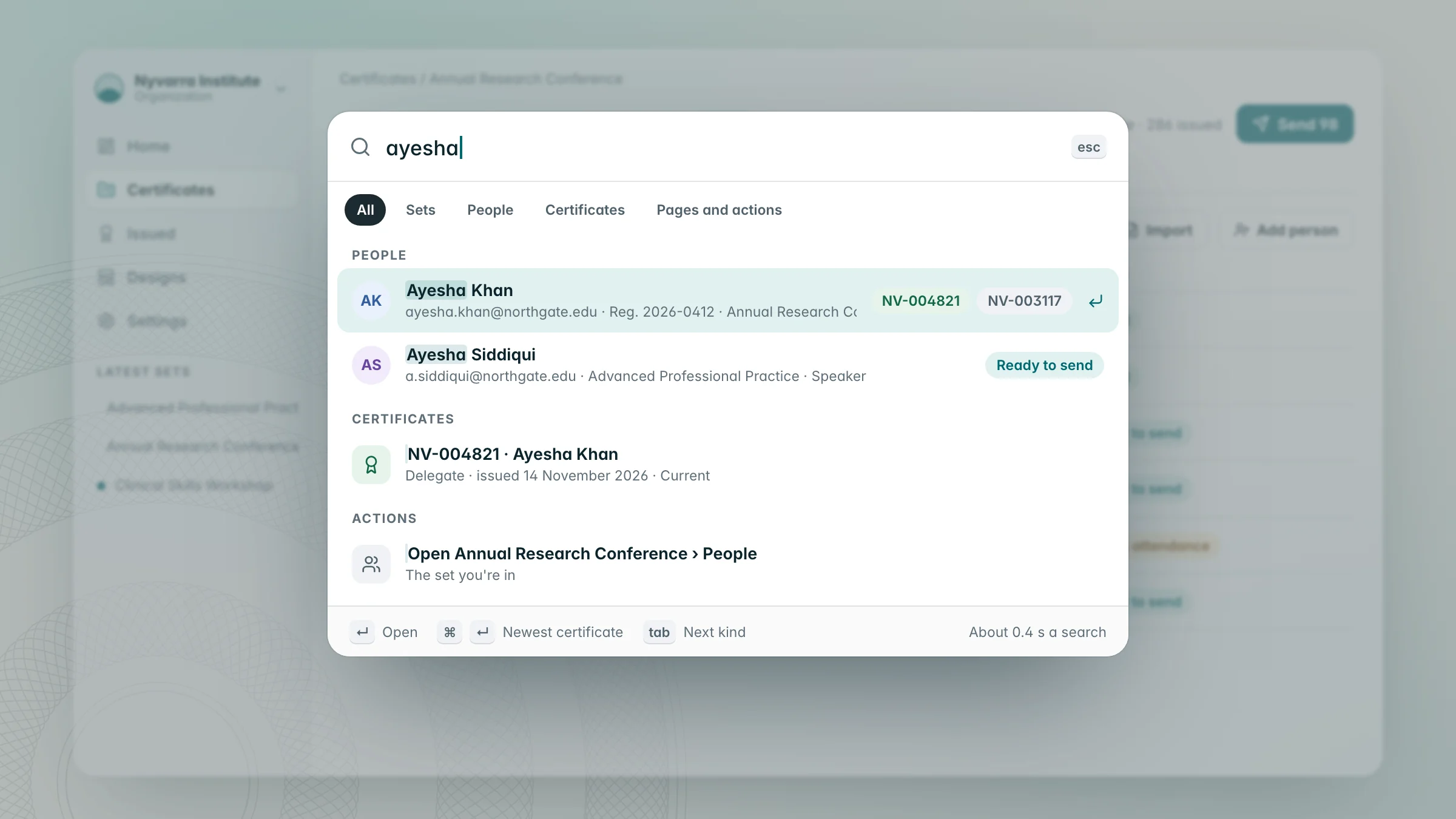
- Before you type, it offers what you can do: the open set's actions (add, import, send, people), the sets, people and certificates you opened recently, and quick actions such as creating a set or switching between light and dark.
- Results come in tabs (All, Sets, People, Certificates, Pages and actions), and Tab moves between them.
- A person shows their email, registration number, set and certificate type, with their certificates as serial chips coloured by status.
- It understands the words people use: invoice finds Billing and csv finds Import people. A full serial goes straight to the top.
- ⌘↵ opens a person's newest certificate, or a set's people.
- It answers in about 0.4 seconds, and your last results stay on screen while a new search runs.
A Home that's about your organization
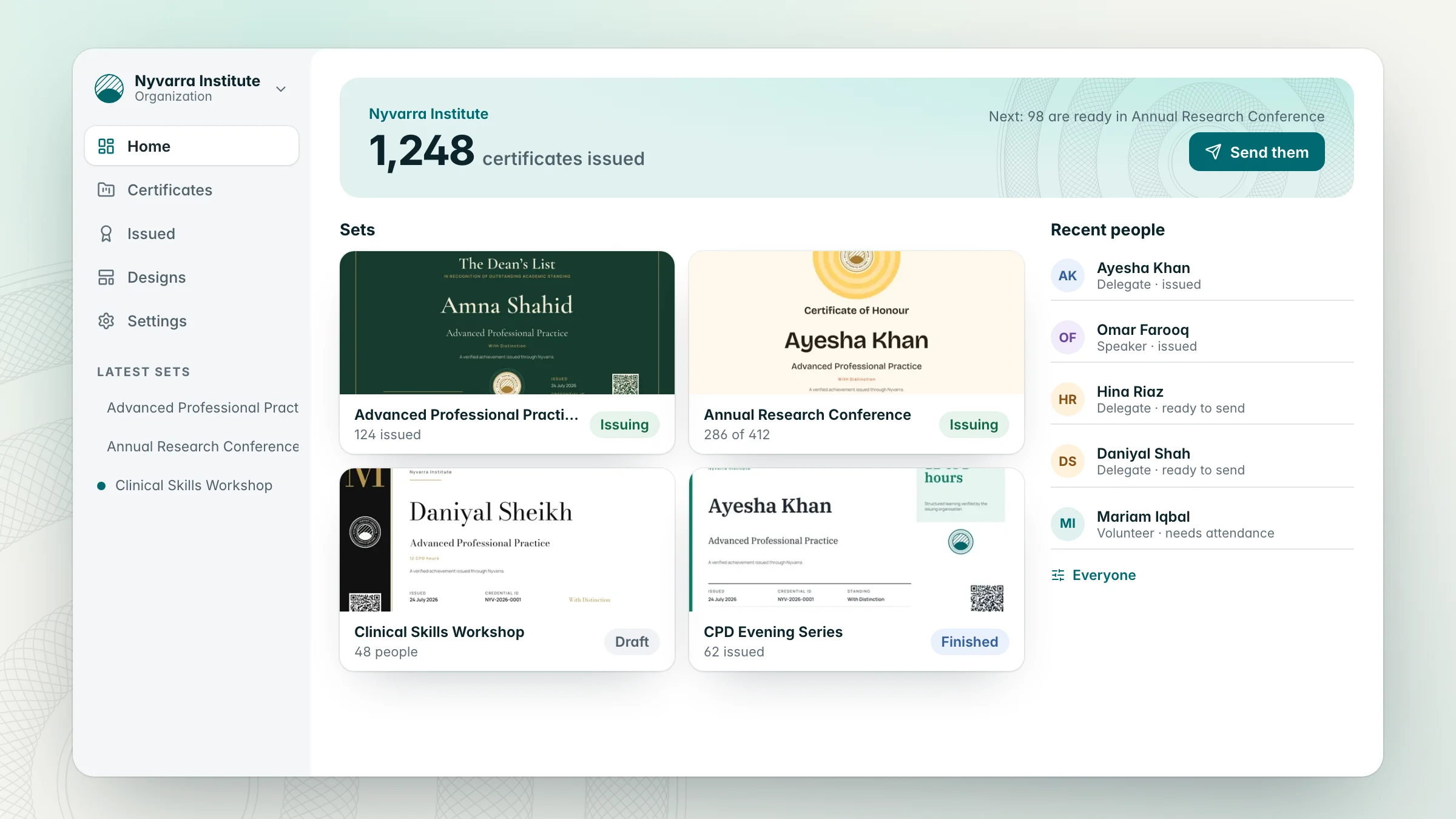
Home now opens with your organization: its name, how many certificates it has issued and the next thing worth doing. Your sets appear as their real certificate designs, and recent people arrive as a feed. The Certificates list uses the same table as everything else, with search and a status filter.
The same shapes everywhere
- Every field and button shares one height, one corner and one focus ring.
- Every dialog is the same sheet, and anything that can't be undone has its own red button.
- Notifications, Support, Corrections and Passport requests moved onto the same system.
- All of it works in light and dark.