NyvarraStudio™: a design studio made for certificates
NyvarraStudio™ now opens in half the time, brings 132 families of artwork you can reshape with a slider, and adds the layout tools print designers expect: rulers, real units and one-click arranging.
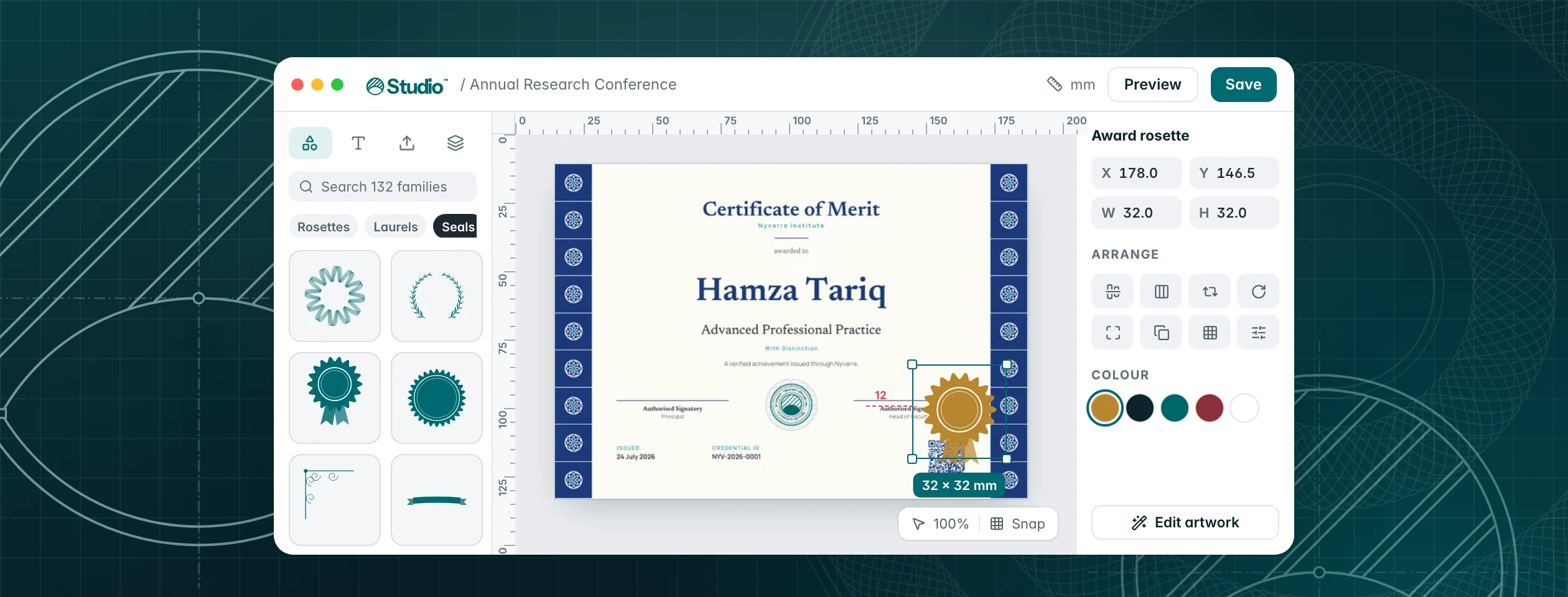
A certificate is a small piece of print that has to look right for years. NyvarraStudio™ is where you design it, and this release is the biggest it has had: faster to open, a library of artwork you can shape however you like, and the measuring and arranging tools you'd expect from a design app.
Ready in half the time
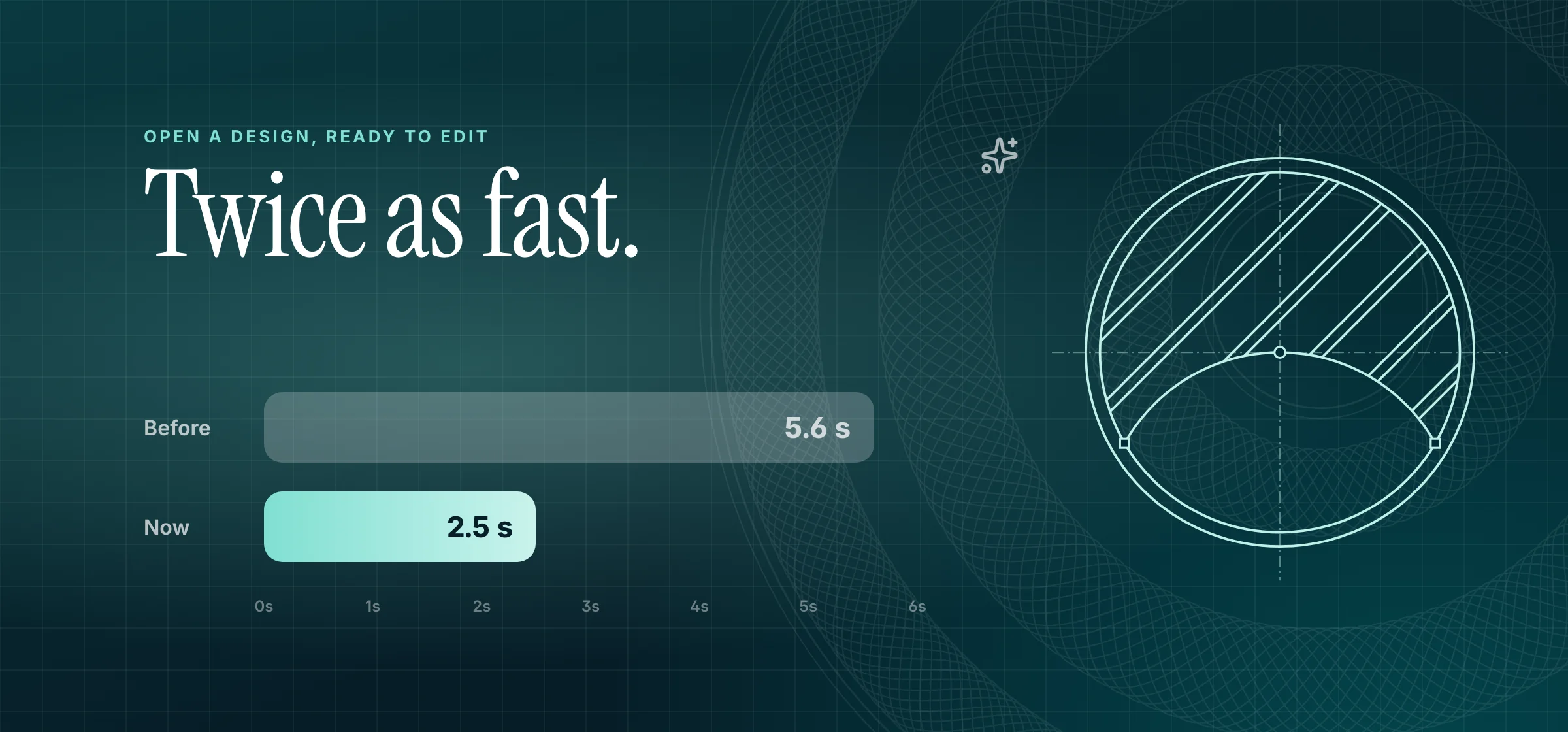
Opening a design used to take 5.6 seconds before you could start editing. It now takes about 2.5. Studio checks your access, loads your draft, your uploads and its typefaces at the same time instead of one after another.
132 families of artwork, each one endless
The Elements panel holds rosettes and guilloche, laurels, frames, corners, dividers, seals and badges, ribbons, stars, subject icons and patterns. None of it is clip art. Every piece is drawn from its own settings, so moving a slider draws something new.
- Open any piece in its customiser: one slider for each setting, in your design's own colours.
- Shuffle gives you a new variation. Six variations shows a handful at once.
- Drag a tile, or a variation you like, straight onto the page. It lands where you drop it.
- The last eight pieces you used wait in a Recent row, with their settings.
- Select artwork later and choose Edit artwork to reopen it exactly as you left it.
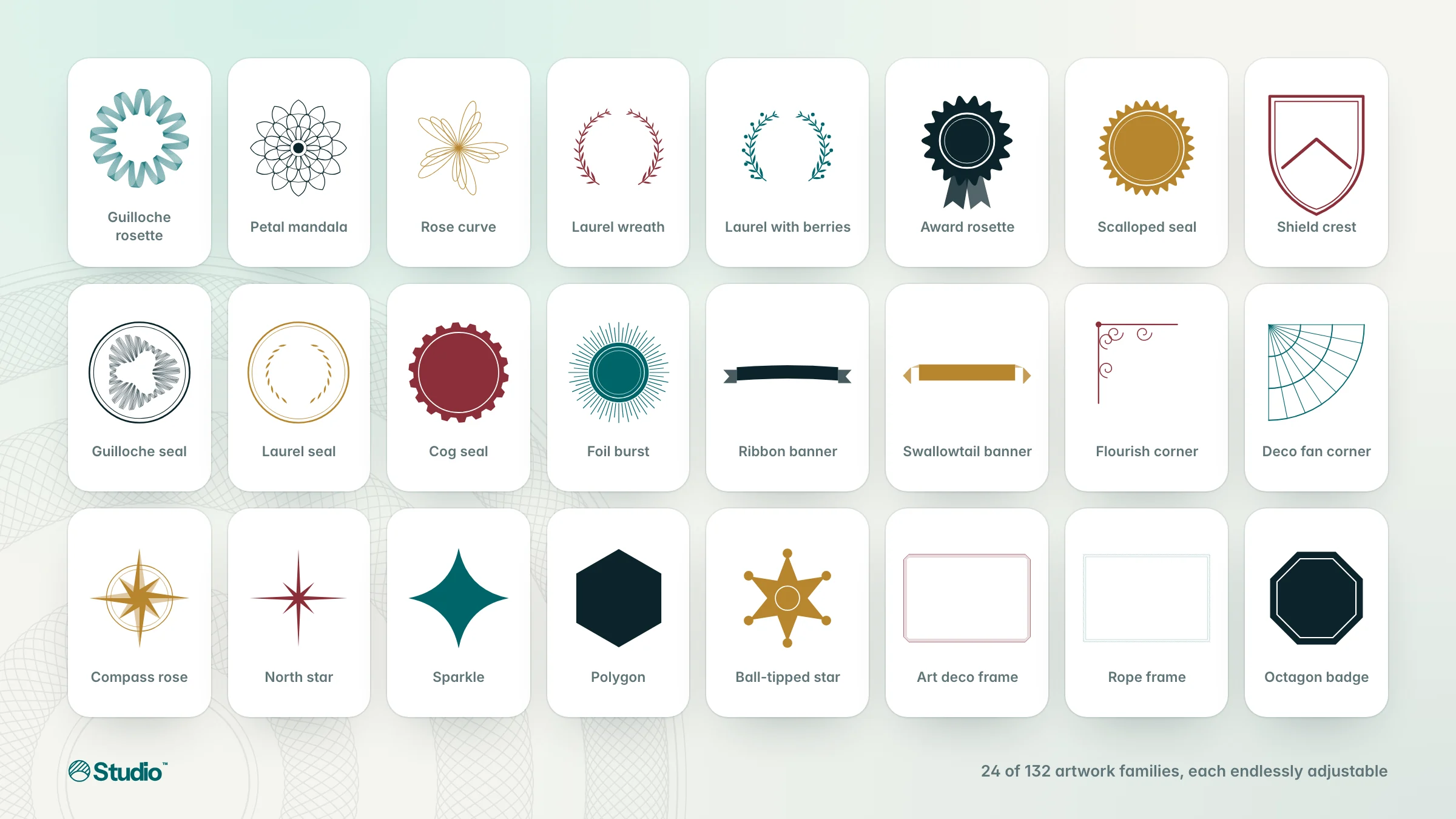
Frames that fit any page
Frames and patterns take the page's proportions and sit behind everything, so a border is never stretched. Change the paper and they redraw to fit. Type, letter spacing, line weights and corners scale with the page too (it's on by default, with a switch if you'd rather keep sizes as they are), and seals keep their shape.
Layout, measured like print
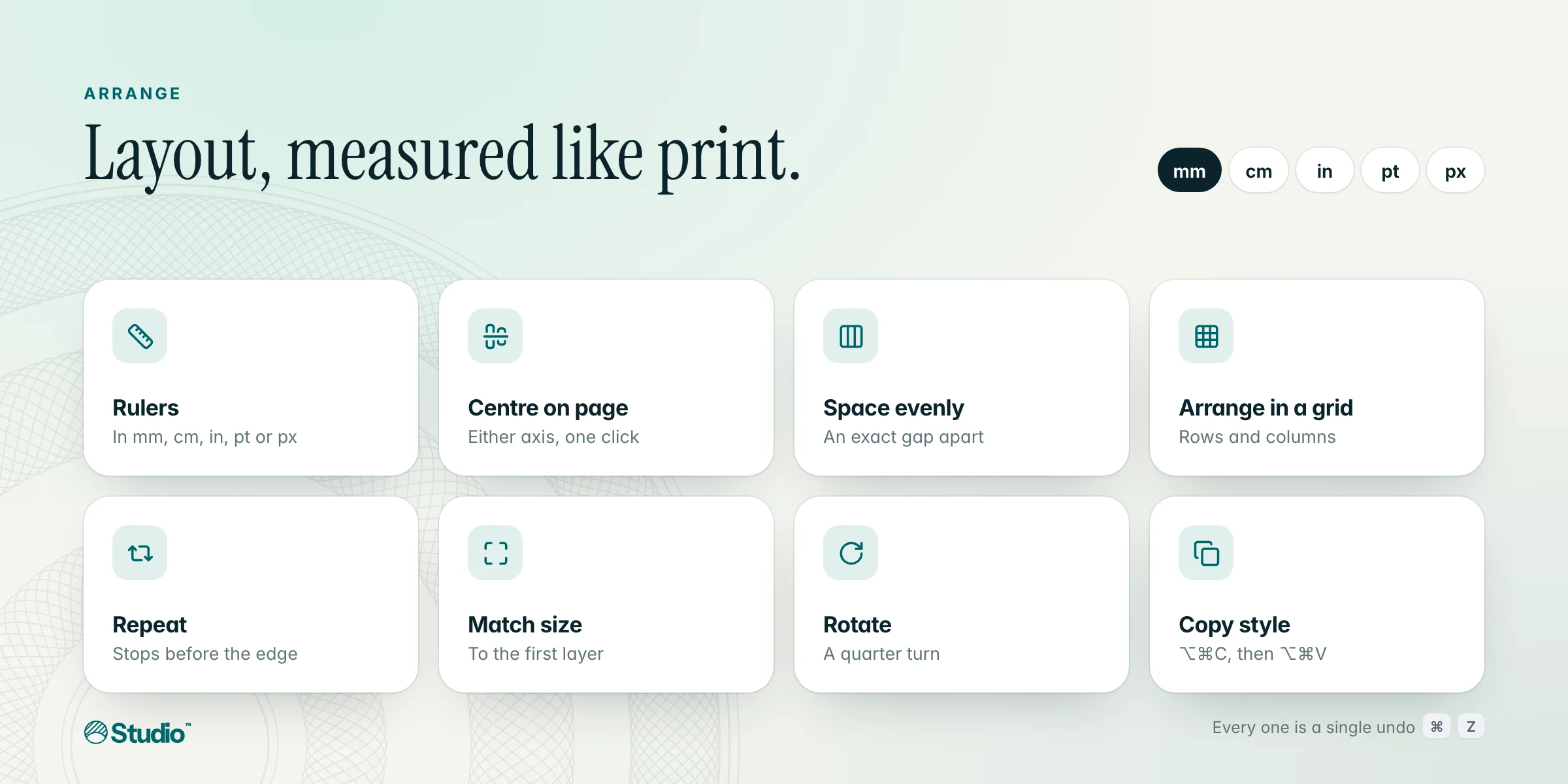
- Measure in millimetres, centimetres, inches, points or pixels. Page size, positions, sizes and spacing all follow your choice, and switching never rounds your page.
- Rulers along the top and left measure from the page's corner and mark your selection. Turn them on in the view bar or with ⇧R.
- Drag a layer and it can snap to equal spacing between its neighbours, with the gaps drawn on the page.
- Arrange tools: match size, centre on the page, arrange in a grid, repeat in a row or column, space an exact gap apart, rotate a quarter turn, fill the page or the print-safe area, swap two layers, and select everything of the same kind or colour.
- Copy a layer's style with ⌥⌘C and paste it onto another with ⌥⌘V.
Every tool is a single undo, and none of them moves a locked layer.
Smaller things that add up
- Preview draws your design with five kinds of data at once (typical names, long ones, a very long one, short values and missing optional details) plus any values you type, each with its fit warnings. Keep any of them on the canvas, or render it as the exact PDF.
- If a save is ever lost, your unsaved changes stay on your device and Studio offers them back the next time you open the design.
- Template search now matches occasions and styles, not just names, and colour fields offer your design's own colours as one-click swatches.
- Move between layers from the keyboard, and screen readers announce what's selected.
A new look, too
NyvarraStudio™ has a new mark: the Nyvarra emblem drawn as a blueprint, with the construction lines a draughtsman would leave. It's the same emblem that's on every Nyvarra certificate, shown mid-design.